Post ideas · Plumbers

Social Media Post Ideas for Plumbers

A homeowner's water heater fails at 7pm on a Sunday and they open Instagram while the plumber they will eventually call is still in bed. The plumbing feeds that win that search are the ones that already showed what the company actually knows. This is a week of post ideas for a plumbing business, built to be made from real jobs and a phone camera, one post per working day.

None of these need a studio, a script, or a marketing person. Each one is a photo or a short clip you can take on the job, plus the two sentences a plumber would actually say about it. The captions below are starting points, not finished copy.

The job is the content

A plumbing company already produces its best marketing material every working day: the corroded shutoff valve that came out, the root pulled from the line, the clean install in a tight cabinet. The phone in your pocket is enough to capture it. Two rules keep it professional: ask the customer before you photograph their home, and never show their address, their family, or anything that identifies them without a signed release.

The boring jobs are the interesting posts. A faucet swap is boring to you because you do three a week. To a homeowner it is the answer to a question they have been living with, and the before and after proves it got answered.

One week of posts, Monday to Saturday

Six posts, each tied to the day it goes out. Nothing seasonal is assumed, so this week works any week of the year.

Monday: the before and after of a kitchen faucet.

Photo one: the old faucet with the corroded shutoff and the stain on the cabinet floor. Photo two: the new install, lines clean, shutoffs replaced. Caption: what the old one was doing to the water line, and why the shutoffs got swapped while you were in there.

Tuesday: what that noise actually is.

A ten second clip of a running toilet or a water hammer knock, with your voice over it: 'That sound is X, it means Y, and it is a thirty dollar fix now or a bigger one later.' The post works because it names a sound half your audience already hears at home.

Wednesday: the question you hear every week.

Take one homeowner question from the month ('why does my kitchen drain smell?') and answer it the way you answer it on the phone: short, specific, no scare tactics. These are the posts people save, and saved posts are the ones that come back up when the emergency hits.

Thursday: the small fix that stopped a big one.

A story post: the loose washing machine hose you caught before it flooded a finished basement. Describe the mechanism, not a dollar figure. 'The hose was cracked at the coupling' lands better than any savings estimate, because it teaches the reader to look at their own hose.

Friday: one thing to check at home this weekend.

One item, one photo, one instruction. Shutoff valves under the sinks that have not been turned since install. Washing machine hoses older than five years. The angle stop behind the toilet. Keep it to a single check so the post reads as doable, not as a chore list.

Saturday: the crew, the truck, the day.

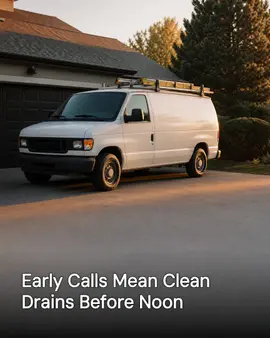
A human post: name the tech, say what they did today, show the van parked at the job. One sentence of what went right. People hire people, and a Saturday post with a name in it does more for trust than any ad copy.

Three posts for the slower weeks

For the weeks when the camera stayed in the pocket, these three can be made in one sitting.

Your city's water, explained.

Hard water, high pressure, old mains: whatever your service area actually deals with, say what it means in two sentences and what it does to fixtures. No product pitch. This is the post that makes you the local expert instead of another plumbing ad.

The tool, explained.

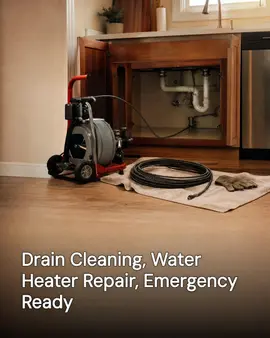
One tool you reach for every week, photographed on the tailgate. What it is, what it is for, and the job it makes possible. A drain camera post does more work than three 'we do it all' posts.

A plumbing myth, answered.

Chemical drain cleaners are the classic. Explain what they do to older pipes and what you would use instead. Myth posts get comments, and comments are reach.

Where SpeedRun Social fits in

Every idea on this page is something a person can make in an afternoon with a phone. The part a tool can take is the repetitive half: turning the week's jobs and the brand's own voice into drafted captions, images and a short video, on schedule, with you approving each one before it goes out.

A free account includes one campaign a week, every week, which comes to 12 posts, 4 videos and 4 cross-posts a month, plus 300 credits refilled monthly and no credit card.

Questions people ask about this

  • How often should a plumbing company post?

    Once per working day is the target this page is built around, but four a week beats zero a week. Consistency matters more than volume: the same homeowner seeing you twice a month for a year beats a burst of ten posts and then silence. Pick the cadence you can actually hold.

  • Do the photos need to be professional?

    No. A phone photo of real work, lit by the jobsite, reads as honest in a way studio stock never will. The things to actually control: wipe the lens, shoot square to the subject, and never photograph anything that identifies a customer without asking first.

  • What should a plumber never post?

    Never post a customer's home, face, or address without permission, and never post pricing invented for the feed. Skip anything that reads as a scare tactic. The trust you build by showing real work is the entire asset; a single careless post spends it.

  • How does posting turn into calls?

    It rarely turns into calls the same week. It works by being the page a homeowner already follows when the pipe bursts. Posts that teach something are saved and shared, and the saved ones are what the feed shows back to them later. There is no honest way to promise a timeline; there is an honest way to be the first name they think of.

Turn one week of jobs into one week of posts

One campaign a week is included free, forever, with 300 credits refilled monthly and no credit card. Approval stays on until you switch it off.