For barbers
Social media marketing for barbers
Social media marketing for a barbershop can run off the website you already have. SpeedRun Social pulls your services, colors, and photos, writes the captions, generates images and video, and stacks a week of posts for you to approve. The weekly campaign is free and takes no card.
No account, no email, no card. One post from your own website.
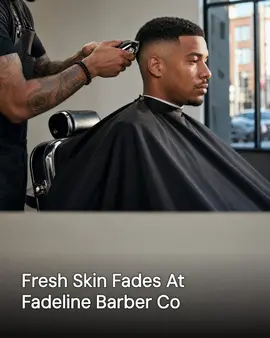
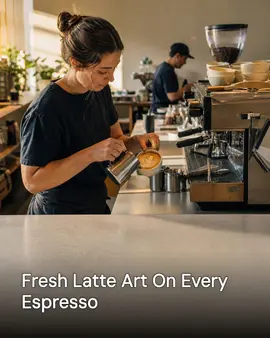
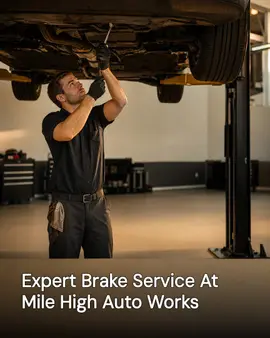
Real generator output. The first post is for barbers; the rest are neighbouring local businesses running the same pipeline. Cards marked "Demo brand" are businesses we built ourselves to show a trade we have no customer in yet.
Free to start: one campaign a week of 3 posts, 1 video, 1 cross-post. No card needed. Free media carries a small watermark.
Why a barbershop's social media goes quiet
Not a discipline problem. A time-of-day problem.
- The last cut finishes at seven, and writing a caption about the skin fade you did at two is the first thing that gets dropped.
- Saturday fills every chair and empties the posting schedule.
- The camera roll has forty before-and-afters. The shop page has three posts from March.
- Each barber posts their own work to their own account, so the shop account looks abandoned.
- Walk-ins come from people who saw you this week, not people who followed you last year.
What it does for a barbershop
Shipped features, described the way they land for your week.
Setup starts from your shop's website
Give SpeedRun your web address and it imports your business details, your colors, the services you list, and images from the page. The first drafts already know you sell fades and beard work rather than balayage.
One campaign a week, included
The free plan covers a campaign a week to start: three image posts, one short video, and one cross-post. For a shop that is a cut of the week, a clip from the chair, and a cross-post that can carry your price list.
Captions in your shop's voice
You set the voice once in your brand kit. If the shop talks like a text message, the captions read like a text message. Each network gets its own caption instead of one block pasted five times.
Images built on your own photos
Upload chair shots and storefront photos, or let setup pull what is already on your site, and the generated images are built around them. You are not picking stock photos of somebody else's barbershop.
Nothing posts until you approve it
Every post lands in a queue first. Edit the caption, swap the image, move it to Friday, or reject it outright. Clearing a week takes a few minutes on your phone between clients.
Publishes where people look for a barber
Connect Instagram, Facebook, LinkedIn, X (Twitter), TikTok, YouTube, Threads, Pinterest, Bluesky, Google Business Profile, and WordPress. One schedule posts to all of them, and Google Business Profile is the listing that shows up in local map results.
How to run a barbershop's social media
The part no software does for you is the shooting. Six things a shop can change this week, in the order they matter.
What you need
- A phone, and one spot in the shop with light that does not turn orange after four.
- A yes from the client before you post their head. Ask while the cape is still on.
- Your booking link. A fade shot with nowhere to tap is a wasted post.
- The names of the cuts you actually sell, written down.
Fix one shooting spot and stop moving it
Same chair, same wall, same distance. Work shot in one place reads as a body of work. Work shot wherever the barber happened to be standing reads as a camera roll. This is the single change that makes a shop page look like a shop.
Shoot the back of the head
The line-up and the taper are the work, and the client never sees them. A back and a side, taken after the neck is cleaned, sell a barber better than a smiling front shot does.
Ask before the cape comes off
Get the yes at the chair and remember who said no. A client finding themselves on the shop page is the fastest way to lose them, and asking takes a second while chasing consent by text afterward takes a week.
Name the cut in the caption
A mid fade with a razor part is searchable, repeatable to a friend, and tells a walk-in what to ask for. Fresh cut tells nobody anything they can act on.
Post against the booking week, not the calendar
Chairs fill Thursday through Saturday and sit empty Monday and Tuesday. Put the strongest work up the day before the slow days, while a post can still move somebody into a chair.
Send every barber's work to the shop account
Personal pages are fine and barbers should keep them. The shop still needs one account carrying every chair's work, because that is the page a new client finds and judges before they walk in.
Common mistakes
- Front-facing shots only. The client came in for a line that nobody photographed.
- Posting a month of cuts on one Sunday. Five posts in an hour reach the same people once.
- Letting clips sit unposted because they need editing. Unedited and up beats polished and never.
- No booking link on the profile, so the post that worked ends in a dead end.
What the free plan gives a barbershop
One campaign a week to start, generated and scheduled, then free with no end date for light use, with no card needed. Media on the free plan carries a small watermark; paid plans remove it.
- 3 image posts
- 1 short video
- 1 cross-post
- 300 credits a month
Questions barbers ask
How often should a barbershop post?
We are not going to invent a number that works for every shop. What we can tell you is what the free plan hands you: one campaign a week to start, which is three image posts, one short video, and one cross-post. That is five pieces of content a week at no cost, and you can generate more with credits.
Will the captions sound like my shop or like a robot?
They are generated from your brand kit, so your voice, your services, and the way you describe your work all feed the draft. You read every caption before it publishes and can rewrite any of it. We are not claiming it lands your voice perfectly on the first pass; the approval step is there for the times it does not.
I do not have professional photos. Can it still make images?
Yes. SpeedRun generates the images, and it builds them around the photos you do have: phone shots from the chair, your storefront, your logo and colors. Setup can also import images from your website.
Does it post to my Google Business Profile?
Yes. Google Business Profile is one of the destinations you can connect, along with Instagram, Facebook, LinkedIn, X (Twitter), TikTok, YouTube, Threads, Pinterest, Bluesky, and WordPress.
What does it cost to start?
The free plan costs nothing and does not ask for a card. It includes 300 credits a month and one free campaign a week to start, then the plan stays free with no end date for light use, and media generated on the free plan carries a small watermark. Paid plans add credits and remove the watermark, and you can cancel any time.
Part of
Social media automation for service businesses
social media post ideas for barbers
best social media tools for barbers, ranked
New to the tools themselves? AI social media posting for barbers, explained covers what the category costs and where it stops.
Also built for
- Social media marketing for restaurants
- Social media marketing for plumbers
- Social media marketing for landscapers
- Social media posts for dentists
- Social media marketing for roofers
- Social media posts for countertop shops
- Social media for real estate agents
- Social media marketing for hvac pros
- Social media marketing for electricians
- Social media post ideas for gyms
- Social media for cleaning businesses
- Social media posts for hair salons
- Social media marketing for med spas
- Social media marketing for auto repair
- Social media marketing for law firms
- Social media marketing for pest control
- Social media marketing for veterinarians
- Social media ideas for nail salons
- Social media for nonprofits
- Social media for photographers
- Social media marketing for chiropractors
- Social media for general contractors
- Social media posts for painters
- Social media for accountants
- Social media ideas for coffee shops
- Social media posts for car detailers
- Social media marketing for tattoo studios
- Social media for bars and breweries
- Social media content for bakeries
- Social media marketing for yoga studios
- Social Media for personal trainers
- Social media marketing for pet groomers
- Social media posts for florists
- Social media for boutiques
- How SpeedRun Social works
Try it on your shop
Connect your website, read the week it drafts, and publish nothing you have not approved. The free plan needs no card.