For dentists
Social media posts for dentists
Can a dental practice run social media without posting patients? Yes. SpeedRun Social generates from your office photography, your logo, and the services listed on your site, writes each caption, and parks every post in an approval queue for someone at the practice to read. The weekly campaign is free.
No account, no email, no card. One post from your own website.
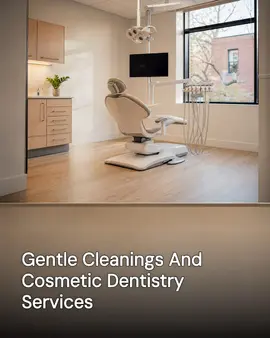
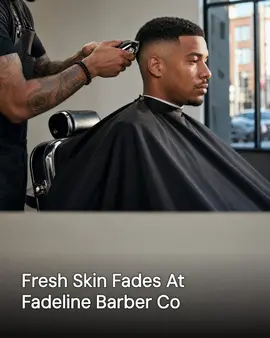

Real generator output. The first post is for dentists; the rest are neighbouring local businesses running the same pipeline. Cards marked "Demo brand" are businesses we built ourselves to show a trade we have no customer in yet.
Free to start: one campaign a week of 3 posts, 1 video, 1 cross-post. No card needed. Free media carries a small watermark.
Why a dental practice's social media goes quiet
Not a discipline problem. A time-of-day problem.
- The front desk runs the Instagram between check-ins, which means it runs about once a month.
- Patient photos are the obvious content and the one thing you cannot casually post.
- Clinical writing turns into a wall of text that nobody reads to the end.
- New patients look you up before they call, and the last post is from a holiday two years ago.
What it does for a dental practice
Shipped features, described the way they land for your week.
Setup starts from your practice site
SpeedRun imports your business details, your colors, the services you list, and images from your website, so drafts talk about implants, whitening, or pediatric visits you actually offer.
A campaign a week at no cost
To start, three image posts, one short video, and one cross-post every week on the free plan. That covers a service explainer, a short clip from the office, and a cross-post for something like a first-visit walkthrough.
Pediatric and cosmetic should not sound identical
Your brand kit sets the tone and the reading level, and the captions follow it. Each platform gets its own caption rather than one paragraph copied everywhere.
Built on office photos, not patient photos
Images are generated around your own material: the office, your team's photography, your logo and colors. You can keep a full posting calendar without putting a patient's face on the internet.
Someone at the practice reads it first
Every post sits in an approval queue until a person signs off. Edit the wording, swap the image, reschedule, or reject. For a practice that step is the point.
One schedule across your accounts
Connect Instagram, Facebook, LinkedIn, X (Twitter), TikTok, YouTube, Threads, Pinterest, Bluesky, Google Business Profile, and WordPress. Facebook, Instagram, and Google Business Profile are where most practices need to be.
How to run a dental practice's social media
The first decision is the one that keeps a practice out of trouble, so it comes before anything about content.
What you need
- A written rule on patient images, and consent on file for any you use. If that is unsettled, run the whole account on office photography instead.
- Photographs of the office: the operatory, the waiting room, the front desk, the team.
- One named person with the authority to approve a post.
- The list of services you want more of, which is rarely the list you do most of.
Settle the patient-image rule first
Either there is written consent on file and a person whose job is checking it, or you use no patient images at all. The second option is a complete approach rather than a compromise, and it is the one that never becomes a problem later.
Photograph the office and the people in it
A new patient is not choosing a whitening technique. They are deciding whether an hour in that room will be unpleasant. The chair, the front desk, your team's faces, and the parking answer more of that than any clinical post does.
Answer what a nervous adult will not ask out loud
What the first visit involves, whether it hurts, what it costs without insurance, how soon you could see them. One post per question, in plain words, written at the reading level of somebody who is already anxious.
Post the chair time you want to fill
Cleanings fill themselves. If the capacity you are carrying is implants, aligners, or a hygienist with an open Tuesday, that is what the account should point at rather than the procedure you happen to do most.
Split drafting from approving
The account dies the day inventing content is added to the front desk's afternoon. Something drafts, one named person reads and approves, and nobody has to think of a topic between check-ins.
Fix the listing a new patient checks first
Hours, whether you take their insurance, whether you see children, how to book. A new patient looks you up before they call, and the Google Business Profile answers those questions before your feed gets a chance to.
Common mistakes
- Posting a clinical close-up that an anxious patient reads as a threat.
- Copying one paragraph to every network, at the reading level of a chart note.
- Using a patient image because it looked harmless, without the consent on file.
- A year of silence followed by a holiday graphic, which tells a new patient the practice is asleep.
What the free plan gives a dental practice
One campaign a week to start, generated and scheduled, then free with no end date for light use, with no card needed. Media on the free plan carries a small watermark; paid plans remove it.
- 3 image posts
- 1 short video
- 1 cross-post
- 300 credits a month
Questions dentists ask
Can we post without using patient photos?
Yes. Images are generated from your own brand material and office photography, so nothing about the product requires a patient photo. If you choose to use patient images, the consent and the record-keeping around that stay with your practice.
Will the copy be clinically accurate?
Treat every caption as a draft. Copy is generated from your brand kit and is not reviewed by a clinician, which is exactly why each post goes through your approval queue. Read it the way you would read anything the front desk drafted for you.
Who at the practice actually has to use it?
One person. Setup is a website address and a handful of answers. After that the job is reading a week of drafts and approving them, which takes a few minutes on a phone.
Does it post to Google Business Profile?
Yes, along with Instagram, Facebook, LinkedIn, X (Twitter), TikTok, YouTube, Threads, Pinterest, Bluesky, and WordPress.
What should a dentist post on social media?
The office, the seasons, and the questions nobody asks out loud. A practice already owns a calendar: back-to-school checkups, the candy month, insurance benefits that expire at the end of the year, whitening in January. There are twenty-eight dental Facebook post ideas, from the calendar to the chair on the blog, each with a caption starter and a phone-photo prompt that needs no patient in the frame. The free weekly campaign gives you three image posts, one short video, and one cross-post a week to spend on those.
What does it cost to try?
The free plan costs nothing and does not ask for a card. It includes 300 credits a month and one free campaign a week to start, then the plan stays free with no end date for light use, and media generated on the free plan carries a small watermark. Paid plans add credits and remove the watermark, and you can cancel any time.
Part of
Social media automation for service businesses
28 dental facebook posts, from the calendar to the chair
New to the tools themselves? AI social media posting for dentists, explained covers what the category costs and where it stops.
Also built for
- Social media marketing for barbers
- Social media marketing for restaurants
- Social media marketing for plumbers
- Social media marketing for landscapers
- Social media marketing for roofers
- Social media posts for countertop shops
- Social media for real estate agents
- Social media marketing for hvac pros
- Social media marketing for electricians
- Social media post ideas for gyms
- Social media for cleaning businesses
- Social media posts for hair salons
- Social media marketing for med spas
- Social media marketing for auto repair
- Social media marketing for law firms
- Social media marketing for pest control
- Social media marketing for veterinarians
- Social media ideas for nail salons
- Social media for nonprofits
- Social media for photographers
- Social media marketing for chiropractors
- Social media for general contractors
- Social media posts for painters
- Social media for accountants
- Social media ideas for coffee shops
- Social media posts for car detailers
- Social media marketing for tattoo studios
- Social media for bars and breweries
- Social media content for bakeries
- Social media marketing for yoga studios
- Social Media for personal trainers
- Social media marketing for pet groomers
- Social media posts for florists
- Social media for boutiques
- How SpeedRun Social works
See a week for your practice
Connect your site, read the drafts, and approve only what you would put your name on. The free plan takes no card.