For photographers
Social media for photographers
The social media paradox of a photography business: the person who shoots all week has nothing to post, because every frame goes into a client gallery. SpeedRun Social feeds the starving business page from what already exists. Give it your website and your outtakes, and it builds each week's posts for your sign off.
No account, no email, no card. One post from your own website.


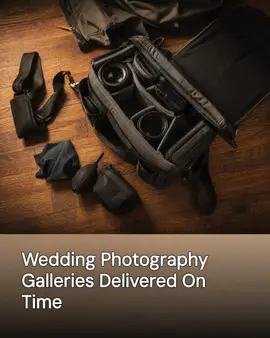
Real generator output for Larkspur & Vale Photography, a demo brand we built ourselves to show a trade we have no customer in yet.
Free every week: 3 posts, 1 video, 1 cross-post. No card, no trial clock. Free media carries a small watermark.
Why a photography business's social media goes quiet
Not a discipline problem. A time-of-day problem.
- A wedding hands you a few thousand frames and a contract that says where they can go. The gallery ships, the drive fills, and the business page gets none of it.
- Editing season and shooting season are the same season, and the posting habit is what both of them eat first.
- Your best work this month is under embargo until the couple shares it, the family sends the cards, or the client's campaign goes live.
- Booking runs on a calendar the feed ignores: wedding inquiries land in engagement season, seniors book in spring, and mini sessions fill before the leaves turn.
- Inquiries come from someone who saw one frame at the right moment, and the page has not shown a new one in months.
What it does for a photography business
Shipped features, described the way they land for your week.
Setup reads your portfolio site
Give SpeedRun your web address and it imports your business details, your colors, the session types you sell, and images from your pages. The first drafts know you shoot weddings and seniors rather than talking vaguely about memories.
The weekly campaign rides along free
Every week the free plan builds three image posts, one short video, and one cross-post. For a photographer that can be a sneak peek you have permission to share, a behind-the-scenes clip from a session, and a cross-post announcing the dates minis go on sale.
Captions that sound like the person behind the camera
Your brand kit holds your tone, your session names, and the way you talk to clients at a consult. Captions come out in that voice, one written for each network, so the same frame is not posted with the same paragraph five times.
Your archive is the raw material
Generated images are built around the photos you upload: the frames a client cleared, the behind-the-scenes shots, your logo and colors. Setup can pull what your portfolio already shows, and nothing starts from a stock image carrying somebody else's eye.
Permission gets checked before anything posts
Every post waits in a queue for you. That review is where a frame gets checked against what the client agreed to, a sneak peek gets held until the couple has posted first, and a caption gets fixed. Nothing publishes on its own unless you turn on autopilot.
Publishes where clients go looking for a photographer
Connect Instagram, Facebook, LinkedIn, X (Twitter), TikTok, YouTube, Threads, Pinterest, Bluesky, Google Business Profile, and WordPress. Instagram and Pinterest are where sessions get planned and saved, and Google Business Profile answers the person searching for a photographer nearby.
How to run a photography business's social media
Five habits built around the one constraint of the trade: the pictures already exist, and the right to post them is what has to be earned.
What you need
- A line in your contract that says what you may post and when, agreed at booking rather than begged after delivery.
- A folder of outtakes you own outright: setups, details, and frames that never made the gallery.
- Your session types written the way clients ask for them, with the months each one books.
- A booking or inquiry link tested from a phone this week.
Put the posting permission in the contract, not the delivery email
Ask at booking, when the client is excited, and write the answer into the agreement: what you may share, when, and whether they want to post first. Chasing a yes after the gallery ships turns every sneak peek into a negotiation, and half of them quietly die there.
Mine each delivered gallery for the frames only you would pick
The client picks the frames that flatter the people in them. You pick the frame that proves the craft: the light, the timing, the composition that carried it. Pull a couple per gallery into a business folder while the edit is still open, because you will never reopen it later.
Post the sneak peek while the client is still refreshing
The window is the stretch between the session and the gallery, when the client is checking their phone for it. One frame, cleared and tagged, reaches the people who were there that day, and those are the people who will be looking for a photographer next.
Sell the season before the season books
Wedding inquiries arrive in engagement season, seniors book in spring, and minis book from the announcement. Post the work in the window when clients are deciding, not the week you happen to shoot it: last autumn's minis are this summer's post, and a June wedding is content for the winter someone starts planning theirs.
Show the person clients will spend a whole day with
A wedding client hires the human before the portfolio, because that person will be beside them for ten hours on a day nobody can redo. A behind-the-scenes clip, your face, and how you handle a rain plan answer that hire in a way another beautiful frame cannot.
Common mistakes
- Posting only finals. The setup shot and the outtake are yours to use without waiting on anyone's timeline.
- Sharing a wedding before the couple has, which spends their moment on your marketing.
- Announcing minis the week they run, after every family has already planned its month.
- A page full of clients' faces and never your own. People are hiring the person holding the camera.
What the free plan gives a photography business
One campaign a week, generated and scheduled, with no card and no trial clock. Media on the free plan carries a small watermark; paid plans remove it.
- 3 image posts
- 1 short video
- 1 cross-post
- 300 credits a month
Questions photographers ask
What should a photographer post between deliveries?
The work you own outright. Outtakes, detail shots, the setup behind a frame, a clip of how you read light on a location, the dates a session type opens. The free weekly campaign gives you three image posts, one short video, and one cross-post a week to spend on them, and none of it waits on a client's timeline.
Can I post my clients' photos?
That depends on your contract and what each client agreed to, and the wording of both stays with you. What the product gives you is the approval queue: every post waits there until you clear it, which is where a frame gets checked against the agreement before it goes anywhere.
Does it connect to Pixieset, ShootProof, or my gallery software?
No. SpeedRun Social does not connect to gallery delivery, client management, or studio software of any kind. It reads your public website once at setup and works from the photos you choose to upload, so what lives in a client gallery stays separate from what goes on your page.
Why would a photographer want AI-generated images?
Mostly you would not, and it does not replace your shooting. Generated posts are built around the photos you upload, and you can swap any generated image for a straight frame of your own in the approval queue before it publishes. Where the AI earns its keep is the captions, the per-platform versions, the video, and the schedule.
What does it cost to try?
The free plan costs nothing and does not ask for a card. It includes 300 credits a month and one free campaign a week, and media generated on the free plan carries a small watermark. Paid plans add credits and remove the watermark, and you can cancel any time.
Part of
Social media automation for service businesses
social media post ideas for photographers
New to the tools themselves? AI social media posting for photographers, explained covers what the category costs and where it stops.
Also built for
- Social media marketing for barbers
- Social media marketing for restaurants
- Social media marketing for plumbers
- Social media marketing for landscapers
- Social media posts for dentists
- Social media marketing for roofers
- Social media posts for countertop shops
- Social media for real estate agents
- Social media marketing for hvac pros
- Social media marketing for electricians
- Social media post ideas for gyms
- Social media for cleaning businesses
- Social media posts for hair salons
- Social media marketing for med spas
- Social media marketing for auto repair
- Social media marketing for law firms
- Social media marketing for pest control
- Social media marketing for veterinarians
- Social media ideas for nail salons
- Social media for nonprofits
- Social media marketing for chiropractors
- Social media for general contractors
- Social media posts for painters
- Social media for accountants
- Social media ideas for coffee shops
- Social media posts for car detailers
- Social media marketing for tattoo studios
- Social media for bars and breweries
- Social media content for bakeries
- Social media marketing for yoga studios
- Social Media for personal trainers
- Social media marketing for pet groomers
- Social media posts for florists
- Social media for boutiques
- How SpeedRun Social works
Put the outtakes to work
Connect your portfolio site, upload the frames you own outright, and read the week it drafts before anything posts. The free plan takes no card.