For general contractors
Social media for general contractors
For a general contractor, social media is the running story of one job: demo, framing, inspections, the reveal. SpeedRun Social assembles it from the progress photos a crew already takes, writes what each network needs, and holds the whole queue for your sign-off. One campaign a week is included free.
No account, no email, no card. One post from your own website.
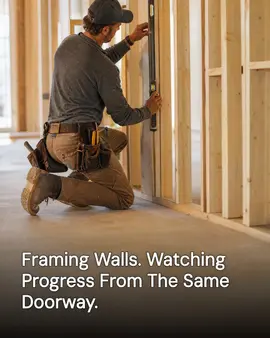
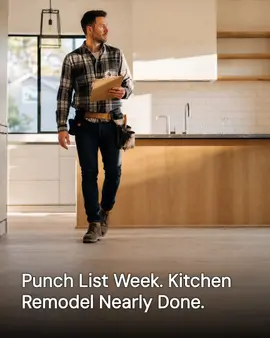
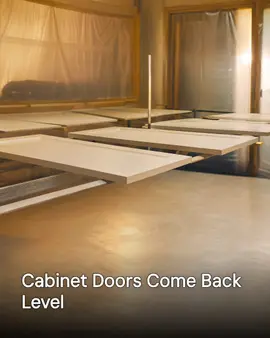
Real generator output. The first post is for general contractors; the rest are neighbouring local businesses running the same pipeline. Cards marked "Demo brand" are businesses we built ourselves to show a trade we have no customer in yet.
Free every week: 3 posts, 1 video, 1 cross-post. No card, no trial clock. Free media carries a small watermark.
Why a general contracting company's social media goes quiet
Not a discipline problem. A time-of-day problem.
- A job runs for months, the page shows the day it was demoed and the day it was done, and everything that earned the invoice happens invisibly in between.
- Half of every finished photo is a sub's work, and nobody has settled whose page the tile setter's backsplash belongs on.
- The homeowner is living in the job. Every progress shot is a picture of somebody's house torn open, and posting it without the ask costs the referral the job was supposed to earn.
- Estimates get compared at night, by homeowners reading contractors' pages side by side, and yours ends at a project from last year.
- Punch-list week is chaos, the reveal photo never gets taken, and the next job mobilizes Monday.
What it does for a general contracting company
Shipped features, described the way they land for your week.
It learns your work from your website
Give SpeedRun your web address and it imports your business details, your colors, and the services you list. If the site sells kitchens, additions, and full-gut remodels, the first drafts talk about those instead of remodeling in the abstract.
A week of the build, included
The free plan drafts three image posts, one short video, and one cross-post every week. On an active job that is this week's phase, a walkthrough clip shot from the marked doorway, and a cross-post with room to run a whole stage from demo to drywall in sequence.
A custom-home builder and a bath remodeler are two voices
Your brand kit holds the company name, the tone you use walking a client through their own torn-open house, and what you want to be known for. Captions come out in that voice, one written per platform, so a design-forward firm and a plainspoken remodeler never read like the same template.
Built on your jobsite photos, mud and all
Upload the framing shot or the finished built-in straight off a crew lead's phone and the generated post is built around it. The kitchen in your feed is one you built, not a stock render of a house nobody has ever lived in.
Nothing publishes while the client still lives in the job
Every post waits in a queue for your sign-off, which matters when the photo shows a home mid-demo and the family is in a rental waiting on your schedule. Edit the caption, swap the image, hold the reveal until after the final walkthrough, or reject it.
One schedule, from estimate season to closeout
Connect Instagram, Facebook, LinkedIn, X (Twitter), TikTok, YouTube, Threads, Pinterest, Bluesky, Google Business Profile, and WordPress. Google Business Profile and Facebook carry the most weight for a contractor being weighed against other bids, and one schedule feeds every account you connect.
How to run a general contractor's social media
One project is a season of episodes, and everything below treats it that way: shot in phase order, published while the job is alive, closed out with the full arc.
What you need
- A phone on site and a rule for when it comes out: after the area is safe and the sub has cleared it, never mid-lift.
- One marked doorway per project to shoot every phase from.
- The homeowner's written yes to post the project, collected with the contract, plus their list of what stays out of frame.
- A shared folder each crew lead drops the week's photos into before Friday.
- Your subs' business names spelled the way they spell them.
Shoot the same room from the same doorway at every phase
Pick the doorway on demo day and mark it. One frame from that spot at demo, rough-in, insulation, drywall, paint, and punch turns a season of chaos into a sequence a homeowner can actually follow, and no single photo, however good, can do the same job.
Post the passed inspection, not just the pretty phases
The green tag on a rough-in is the least photogenic and most reassuring image a contractor can publish, because the homeowner's real fear is what gets closed up inside the wall. A caption that says in plain words what the inspector looked at answers that fear before the estimate conversation starts.
Credit the subs by name and company
The tile, the electrical, and the countertops in your finished photo are somebody else's craft, so say whose. A credited sub reposts the project to their own page, and the builders and homeowners who follow a good sub are exactly the readers a general contractor wants. The credit costs nothing and it is remembered at the next bid.
Settle the photo permission at contract, and again before the reveal
A progress shot is a picture of somebody's home torn open, so the yes belongs in the contract paperwork, with a note about what stays out of frame. Ask a second time before the reveal post, because a family that agreed to framing photos in March may feel differently about their finished bedroom in June.
Time the reveals to bid season
Your own call log says when homeowners in your area start planning: additions get estimated months before they break ground. Hold the strongest finished projects and publish them in the weeks the estimate requests usually arrive, when a prospect is lining up bids and reading builders' pages in the same week.
Close every job with the whole arc in one cross-post
When the punch list clears, assemble the doorway series into a single cross-post that runs demo to done in sequence. That one post is the case study a referral gets sent, and it keeps working on the page long after the job it documents has been handed over.
Common mistakes
- Posting only reveals. A finished kitchen with no story behind it looks like every stock kitchen on the internet, and a homeowner cannot tell who actually built it.
- Letting each trade's work live only on that sub's page, so the project reads online as unrelated crews and no builder running them.
- Leaving the house number, the street, or the lockbox visible in a progress shot of a home the family still lives in.
- Saving every photo for the final walkthrough and publishing them all in one afternoon, after months when the page said nothing was being built.
What the free plan gives a general contracting company
One campaign a week, generated and scheduled, with no card and no trial clock. Media on the free plan carries a small watermark; paid plans remove it.
- 3 image posts
- 1 short video
- 1 cross-post
- 300 credits a month
Questions general contractors ask
What does a general contractor post in the middle of a long job?
The phase that is happening. Demo week, the rough-in and its inspection, insulation, drywall, tile going up, the punch list. A job that runs a whole season hands you a post every week without inventing anything, and SpeedRun turns your crew's photo of that phase into the finished post.
Does it connect to Buildertrend, Procore, or our project management software?
No. SpeedRun Social does not connect to Buildertrend, Procore, or any construction or project management platform. It reads your public website once at setup and works from your brand kit and the photos you upload, so your job schedule and your posting schedule stay separate.
Do we need the homeowner's permission to post their project?
Get it in writing, and get it early, ideally with the contract. The exact wording of that permission is between you and your client, and it is not legal advice we can give. What the product adds is the approval queue: nothing publishes until someone at the company has read it, which is where a photo without a yes gets caught.
Half the finished work in our photos is our subs'. Whose page does it go on?
Yours, with the sub named. You ran the job, and the finished room only exists because of the sequence you managed. Edit any caption before it publishes to credit the tile setter or the electrician, and let their repost carry the project to their own audience too. SpeedRun writes the draft; the crediting stays your call.
What does it cost to try?
The free plan costs nothing and does not ask for a card. It includes 300 credits a month and one free campaign a week, and media generated on the free plan carries a small watermark. Paid plans add credits and remove the watermark, and you can cancel any time.
Part of
Social media automation for service businesses
social media for general contractors: 30 ideas by phase
best social media tools for general contractors, ranked
New to the tools themselves? AI social media posting for general contractors, explained covers what the category costs and where it stops.
Also built for
- Social media marketing for barbers
- Social media marketing for restaurants
- Social media marketing for plumbers
- Social media marketing for landscapers
- Social media posts for dentists
- Social media marketing for roofers
- Social media posts for countertop shops
- Social media for real estate agents
- Social media marketing for hvac pros
- Social media marketing for electricians
- Social media post ideas for gyms
- Social media for cleaning businesses
- Social media posts for hair salons
- Social media marketing for med spas
- Social media marketing for auto repair
- Social media marketing for law firms
- Social media marketing for pest control
- Social media marketing for veterinarians
- Social media ideas for nail salons
- Social media for nonprofits
- Social media for photographers
- Social media marketing for chiropractors
- Social media posts for painters
- Social media for accountants
- Social media ideas for coffee shops
- Social media posts for car detailers
- Social media marketing for tattoo studios
- Social media for bars and breweries
- Social media content for bakeries
- Social media marketing for yoga studios
- Social Media for personal trainers
- Social media marketing for pet groomers
- Social media posts for florists
- Social media for boutiques
- How SpeedRun Social works
Run the next job as a story
Connect your website, drop the crew's progress photos in, and read the week before it publishes. The free plan needs no card.